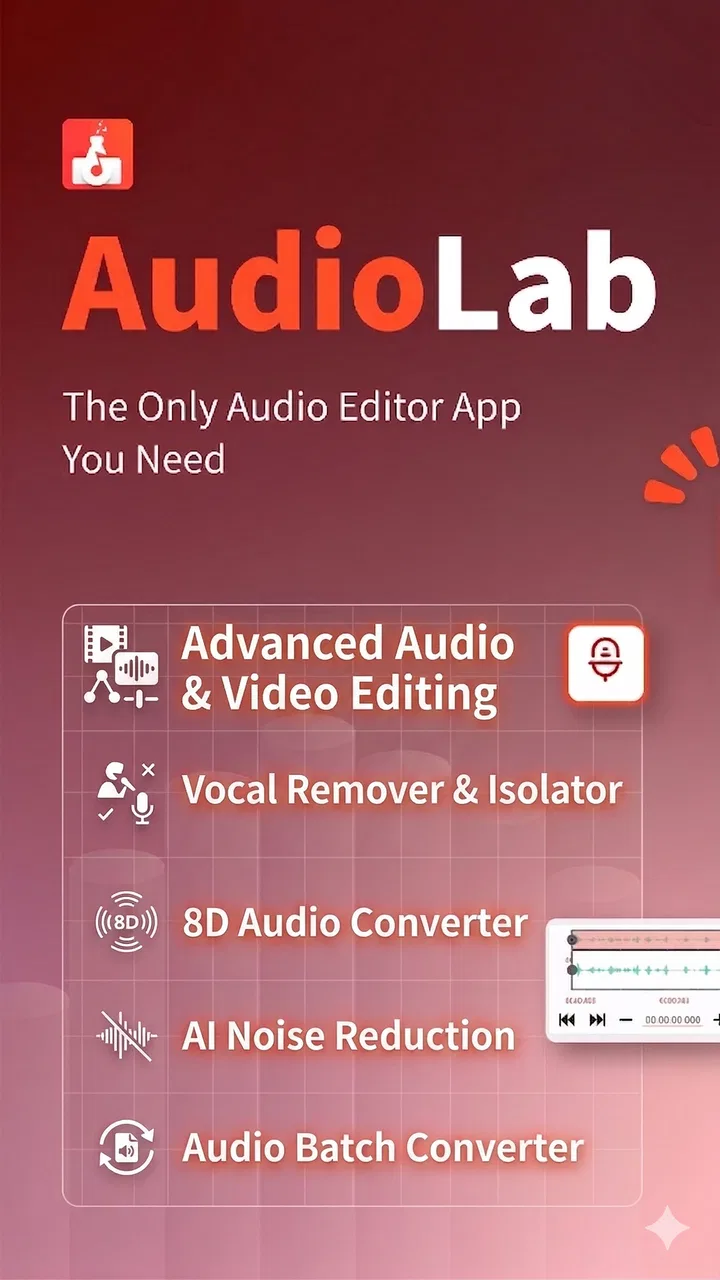
AudioLab Audio Cutter & Editor
- 4.7
- Rating
- 10.00M
- Installs
- Free
- Price

 Analysis by App-foxy
I installed AudioLab Audio Cutter & Editor expecting a practical tool for quick sound edits, and that is exactly where it made its strongest first impression. It is a free music and audio app from HitroLab - Mp3 Audio Editor and Ringtone Maker Dev, built for people who want to trim a recording, cut an MP3, make a ringtone, record a voice, or combine audio without opening a full desktop editor. The appeal is immediate because the app brings several small jobs into one place instead of making me search for a separate tool each time.
That convenience matters more than it may sound. On a phone, I rarely want a complete studio workflow when I only need the chorus of a song for a ringtone or a shorter version of a voice memo. AudioLab feels designed around those quick decisions. The question is not whether it can replace professional audio software; it cannot and does not need to. The more useful question is whether it earns a permanent place on my phone after the novelty of trying every button disappears.
From quick first-week tool to regular audio utility
I find that an audio utility earns a lasting spot on my phone when it fits into a routine rather than demanding attention for its own sake. In this section, I look at how small, repeatable choices—what to keep, how to preview it, and when to stop editing—can make a broad set of tools easier to use over time. That also leads naturally to the question of who can work comfortably with it.
You May Also Like

 Blood Strike: 2.5 Anniversary
Blood Strike’s Loadouts Turn Every Drop Into a Tactical Gamble
A close look at Blood Strike’s custom loadouts: how fast access to signature weapons reshapes its battle royale rhythm, rewards preparation, and narrows the gap between fights.

 Pandora - Music & Podcasts
Pandora’s Music Is Easy to Start, but Harder to Recover
Pandora’s strength is its low-effort path from a seed to a station. Its weak spot is how much confidence it asks you to place in connection, setup, and quiet recovery.

 8 Ball Pool
 Is Built on Rivalries, Rematches, and Routine
A close look at the rivalries, rematches, shared routines, and unanswered safety questions that turn a quick pool match into a persistent mobile community.

 Samsung Music
’s Quiet Strength Is Playing What You Already Own
Its reach comes less from spectacle than from dependable access to a personal library. That simplicity is both the app’s strongest retention engine and its ceiling.

 AccuWeather: Weather Radar
AccuWeather Review: A Quick, Clear Forecast for Everyday Decisions
For everyday plans, the best forecast is the one you can understand quickly. AccuWeather makes rain timing, radar, and local conditions easy to act on, with a few trade-offs.

 Hill Climb Racing
Why Hill Climb Racing Still Turns Crashes Into One More Run
A tiny car, a bumpy hill and one more upgrade: Hill Climb Racing keeps resurfacing because its simple chaos makes every near-miss feel personal.
More From Our News Desk



Why the first few sessions feel productive
The first week with AudioLab is easy to fill. I can start with a song, recording, or other audio file, select the section I want, and focus on the basic edit rather than learning a complicated timeline. The app’s collection of cutting, recording, mixing, and ringtone-oriented tools gives it a wider starting point than a simple audio trimmer. That variety is useful for testing what belongs in my regular routine.
For a realistic everyday example, imagine receiving a long voice message that contains one useful instruction buried in the middle. I can bring the recording into the editor, remove the silence and unrelated conversation, then keep a compact clip for later reference. If I need to send it to someone else, the shorter file is easier to handle and less awkward to replay. This is a small task, but it shows why a focused mobile editor can be more useful than a larger computer program.
Another first-week use is creating a personal ringtone from a song I already have. I would not want to edit a full track just for that purpose, and AudioLab reduces the process to choosing the section that works when heard repeatedly. I recommend listening to the beginning and ending several times before saving. A section that sounds fine once may feel abrupt when it starts every time a call arrives, so careful trimming is more important than simply finding a favorite moment.
The voice recorder also gives the app a practical role beyond music. I can use it for a quick spoken reminder, a rehearsal take, or a rough idea that I do not want to type. The advantage is not that it replaces a dedicated recorder; it is that the recording can move directly into the same editing environment. That saves a step when the recording needs to be shortened or cleaned up for personal use.
The value of keeping several tools together
What I liked most during the initial exploration was the way separate audio chores sit beside one another. A person who only wants to cut a file may never touch the mixing tools, but someone making a short intro, combining music with speech, or preparing a custom clip can stay inside the same app. This makes AudioLab more interesting than a single-purpose cutter while keeping the learning curve lower than a full production suite.
Mixing songs on a phone is especially useful for rough personal projects. I can combine a music bed with a spoken message, create a simple practice track, or join pieces that would otherwise remain as separate files. I would still check the relative loudness carefully, because a voice can disappear beneath music even when both tracks sound acceptable on their own. The app makes the combination possible, but the quality of the result still depends on listening and adjusting rather than pressing one button.
A less obvious benefit is that the app encourages a simple “edit before sharing” habit. Instead of sending a whole recording and asking another person to find the important part, I can remove the dead space first. That is valuable for family messages, study notes, rehearsal clips, and short demonstrations. It also helps me keep my own files more manageable, since I am less likely to save several unnecessary minutes around a useful ten-second section.
Where it differs from the usual alternatives
Compared with a basic ringtone maker, AudioLab offers a broader reason to stay installed because it also handles recording, cutting, and mixing. Compared with a full desktop editor, it is quicker for small jobs and far less demanding when I am working from a phone. A dedicated recorder may feel cleaner for someone who only captures voice, while a professional workstation remains the better choice for detailed arrangement, precise automation, or serious mastering.
That middle position is important. AudioLab is not the best answer for every audio task, but it is a convenient answer for many short ones. I would choose it over a single-purpose app when I expect to switch between trimming, recording, and preparing ringtones. I would choose a more specialized editor when a project depends on exact timing, extensive track management, or a polished production workflow.
The app is free to install, which makes experimentation easy, although it includes in-app purchases ranging from $0.99 to $59.99 per item. I would begin with the free experience and only consider paying if the tools become part of a repeated routine. Occasional users should not feel pressure to spend simply because the app contains more advanced options; its basic appeal is already clear without treating every feature as essential.
What remains useful after the novelty fades
After the first week, the question changes from “What can this app do?” to “Will I remember to use it?” For me, the lasting value comes from recurring situations rather than constant entertainment. A ringtone may need editing once, but voice notes, short clips, and quick extracts appear again whenever I work with audio on my phone. The app has a chance to become a utility because those needs return in different forms.
I also see value for people who regularly share spoken material. A student can shorten a recorded explanation before sending it to a classmate. A musician can keep a rough rehearsal excerpt instead of exporting an entire practice session. Someone preparing a social clip can combine a voice line with background sound before moving to another app for video. These are not professional mastering workflows, but they are realistic reasons to open the editor again.
The strongest long-term habit is to decide the purpose before editing. If I want a ringtone, I listen for a clean opening and a recognizable section. If I want a reference clip, I remove pauses and repeated phrases. If I want a mixed file, I first decide which sound should lead. This small planning step prevents the app from becoming a folder of half-finished experiments and makes its broad toolset feel more manageable.
Maintenance: simple files, deliberate organization
Audio editing apps can create clutter quickly, especially when I save several versions of the same recording. AudioLab is most comfortable when I treat each export as a finished item and give it a clear purpose. Before saving, I check whether I need the original, the edited copy, or both. That habit is more important for long-term use than learning every control in the interface.
I also recommend previewing every edit from the very beginning, not only from the point where the cut was made. A trim can sound accurate in isolation but still begin with an unwanted click, a breath, or a few milliseconds of silence. The same applies to endings: a clip that stops too sharply may feel unfinished, while too much trailing silence makes it inconvenient as a ringtone or message. Repeated previews are a small maintenance cost that noticeably improves the result.
For mixed audio, I would keep the first version conservative. If the background track is too loud, lowering it later may be harder than starting with room for the voice. I would also avoid saving multiple nearly identical exports unless I have a clear reason. This approach keeps the app useful month after month because I spend less time searching through confusing filenames and more time completing the actual task.
The current version is 1.3.24, and the app supports devices running Android 8.0 or later. That makes it accessible to many Android users, including people who are not carrying a recent phone. Still, compatibility alone does not remove the need for practical upkeep: keeping source files identifiable, previewing exports, and deleting failed attempts are the habits that determine whether a utility remains pleasant.
The friction that can cause fatigue
The same breadth that makes AudioLab attractive can also make it feel busy. A person who wants one clean button for trimming may find the larger collection of functions unnecessary. I had to resist opening every option just because it was available. For a quick job, the best experience comes from choosing one task and ignoring the rest until a real need appears.
There is also a difference between technical possibility and polished creative control. Cutting a file or making a basic combination is straightforward, but more ambitious work demands patience. Timing, volume balance, and the quality of the original recording still matter. The app can help me prepare audio, but it cannot turn a noisy source into a professional recording through convenience alone. Users expecting studio-level control may become frustrated when mobile simplicity meets a demanding project.
Mixing can be another source of fatigue. Combining tracks is easy to imagine, but making them pleasant together requires judgment. A spoken line may need a quieter background, and a music transition may need more careful placement than a casual first attempt. I appreciate having the option inside the app, yet I would not use it as my only workspace for a complex composition. A larger editor is better when I need to see and manage many elements at once.
Ringtone creation has its own limitation: the best clip is not always the loudest or most dramatic one. Repeated listening exposes harsh starts, sudden endings, and sections that become irritating quickly. AudioLab gives me the tools to make the clip, but choosing something comfortable for daily use takes more thought than the initial novelty suggests. I would rather spend an extra minute previewing than replace the ringtone after one day.
Who will keep opening it, and who should skip it
I think AudioLab is a strong fit for Android users who regularly handle short audio files and want several tasks in one app. It suits people making ringtones, trimming voice recordings, preparing small clips, or combining speech and music without committing to a desktop workflow. Its Everyone content rating also makes it broadly approachable for general household use, while the free entry point removes much of the risk of trying it.
I would be more cautious if my main goal were professional music production. The app is useful for quick edits and practical preparation, but a serious producer may need deeper arrangement controls, more exact editing, and a workflow designed around large projects. Likewise, someone who records voice only once in a while may prefer the simplicity of the phone’s built-in recorder and have no reason to maintain another audio tool.
The public response suggests that many people find the app useful: it carries a 4.7 average from around 328 thousand ratings, with over 10 million installs. Those figures do not guarantee that every workflow will feel comfortable, but they do match my impression that the app solves common mobile audio problems rather than serving only a narrow hobby. I would still judge it by my own frequency of use, because a popular multi-tool can remain unnecessary for someone with very limited audio needs.
How I would build a sustainable routine with it
My preferred routine is intentionally modest. I open the app only when I have a clear source file and a defined outcome. I make one edit, preview it on ordinary phone speakers or headphones, save a clearly named result, and remove failed versions later. This keeps the app from becoming a place where unfinished clips accumulate.
For voice work, I would record in the quietest practical location and hold the phone consistently rather than expecting editing to solve every sound problem. For music extracts, I would mark the start and finish around natural musical phrases. For mixes, I would begin with the speech or lead sound and bring the background in carefully. These choices make the application more valuable because they improve the material before its tools are involved.
I also like the idea of using it as a bridge between phone tasks. I can prepare an audio clip here, then use the finished file in a message, video editor, presentation, or personal archive. That makes its recurring value less about listening inside the app and more about reducing friction before the next step. It becomes part of a workflow rather than a destination I open without a reason.
My long-term verdict
AudioLab Audio Cutter & Editor earns lasting space on my phone when I treat it as a practical toolbox, not as a replacement for every audio application. The first-week appeal is real: trimming, recording, ringtone preparation, and mixing are close enough to reach without building a complicated setup. The month-to-month value comes from repeatable small jobs, especially shortening recordings and preparing clips for sharing.
Its maintenance burden is manageable, but not zero. I need to preview edits, organize saved files, and accept that good mixes still require listening and judgment. The main sources of fatigue are the broad interface and the gap between quick mobile editing and professional control. Those are fair trade-offs for an app aimed at convenient everyday work, but they matter if I expect a complete studio.
For me, the deciding advantage is consolidation. I would rather keep one capable utility for occasional cuts, voice edits, ringtones, and simple mixes than install a separate app for every small task. I would skip it if I needed advanced production tools or only recorded audio once in a great while. For everyone in between, especially Android users on version 8.0 or later, this free music and audio app is worth trying and can remain useful long after the first experiment, provided its wide feature set is used with a clear purpose.
FAQs for AudioLab Audio Cutter & Editor
01What features does AudioLab offer for audio editing?
AudioLab provides a comprehensive suite of tools for audio editing, including a powerful audio cutter, mixer, and converter. Users can trim and merge audio files, apply various effects, and convert file formats. Additionally, AudioLab supports voice recording, voice changing, and text-to-speech conversion, making it an all-in-one solution for audio enthusiasts.
02Is AudioLab suitable for beginners in audio editing?
Yes, AudioLab is designed with both beginners and advanced users in mind. The user interface is intuitive and easy to navigate, offering straightforward tools for basic edits. For those new to audio editing, tutorials and guides are available within the app to help users get started and make the most of its features.
03Does AudioLab support multiple audio file formats?
Absolutely. AudioLab supports a wide range of audio file formats, including MP3, WAV, AAC, FLAC, M4A, and more. This flexibility allows users to work with different types of audio files without worrying about compatibility issues, making it a versatile tool for various audio editing needs.
04Are there any in-app purchases or ads in AudioLab?
AudioLab is available as a free download, but it includes in-app purchases to unlock premium features. Additionally, there may be ads present in the free version. Users who prefer an ad-free experience can opt for the premium version, which also offers advanced features for more detailed audio editing.
05Can I use AudioLab for professional audio projects?
While AudioLab offers a wide array of features suitable for hobbyists and casual users, it also includes advanced tools that can be beneficial for professional projects. The app's capabilities, such as high-quality audio processing and effect application, make it a viable option for more serious audio editing tasks.
Pros
- User-friendly interface for easy navigation.
- Wide range of audio editing tools.
- Supports multiple audio formats.
- Real-time audio recording feature.
- Fast processing and exporting.
Cons
- Contains in-app ads that can be intrusive.
- Premium features require a purchase.
- Occasional crashes on older devices.
- Limited free version capabilities.
- Some features require internet access.

AudioLab Audio Cutter & Editor
Gallery